Integration Guide for OpenVPN
Configuring GreenRADIUS for OpenVPN
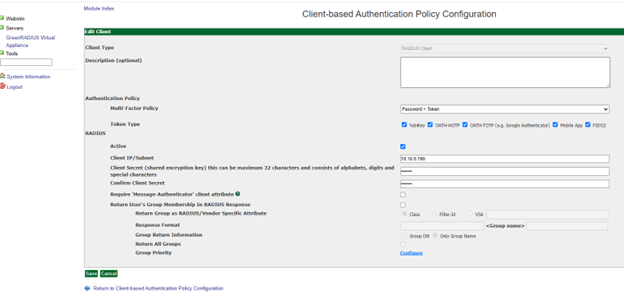
In the GreenRADIUS web admin interface, add OpenVPN as a RADIUS client.
- Click the Global Configuration tab
- Click the Client-based Authentication Policies icon
- Enter the IP address of OpenVPN. Then enter the same RADIUS secret twice. Then click the Add button.
Configuring OpenVPN
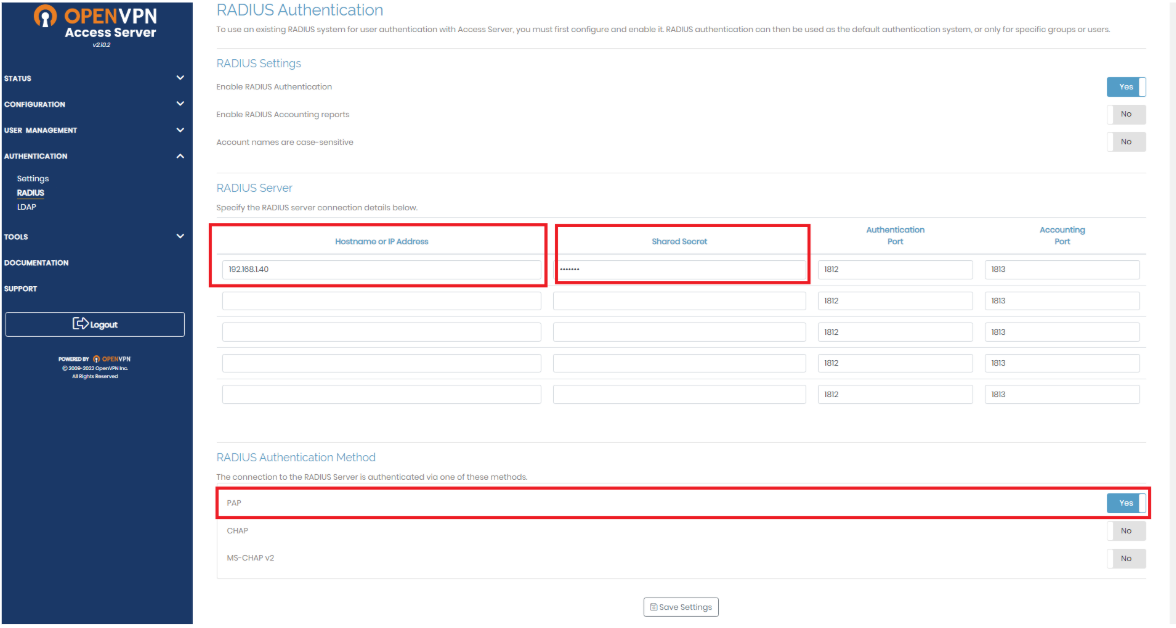
- Connect to OpenVPN Server and go to Authentication>RADIUS
Specify the Hostname, Shared Secret, and RADIUS Authentication Method as PAP then save settings.
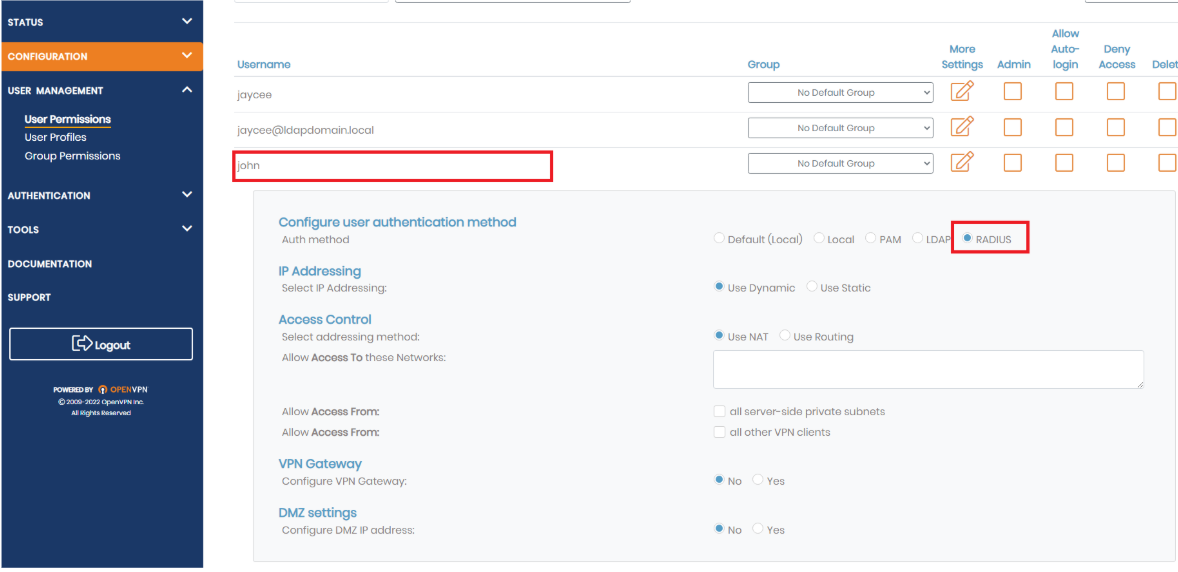
- Create user profile in OpenVPN. Go to User Management > User Permission.
Add user profile that matches in GreenRADIUS.
Specify the Authentication Method to RADIUS then save settings.
Connecting to OpenVPN Client via RADIUS Authentication
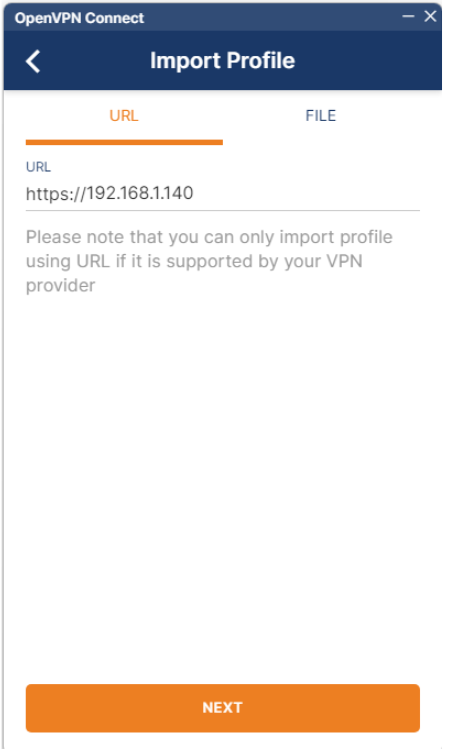
- Open the OpenVPN Client and add profile. Specify the server IP/hostname.
Insert the login details and it will prompt for OTP. Insert the OTP.
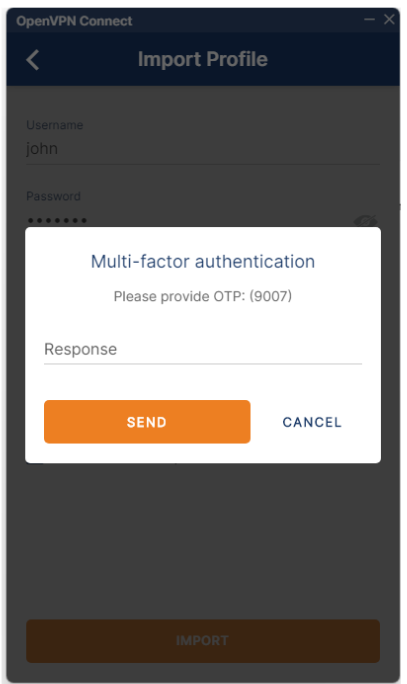
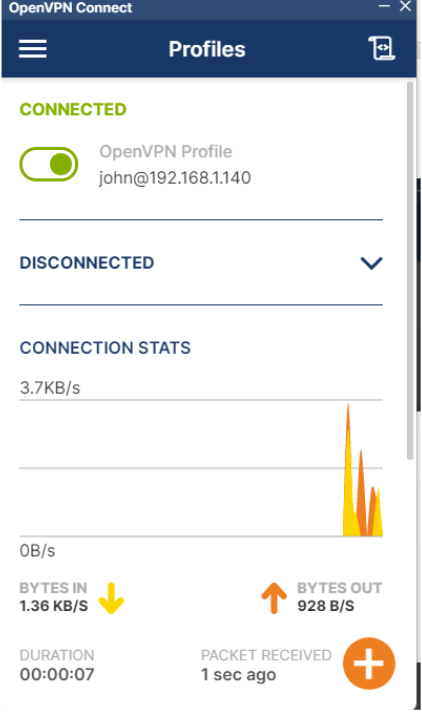
Profile will be configured and you can connect.
Updated 2025-12-13
© 2026 Green Rocket Security Inc. All rights reserved.
© 2026 Green Rocket Security Inc. All rights reserved.